


TiviMate is the usual living-room app. Also keep this official page. Background on the tech: Wikipedia IPTV.
TiviMate is the player most LemoTV users put on Firestick, Android TV, and Nvidia Shield. This guide shows every tap: Add playlist, Xtream Codes login, then name the list.
Have your LemoTV username, password, and portal URL ready. Then install TiviMate from the Play Store or from downloads.
What you need
- A LemoTV plan. See LemoTV pricing.
- The TiviMate app. Get it from LemoTV downloads if your store does not list it.
- Your LemoTV portal URL (or M3U link), username, and password from the email after you buy.
- Stable internet. About 10 Mbps for HD, 25 Mbps for 4K.
How to add LemoTV in TiviMate
Step 1. Open Add playlist
Open TiviMate. If this is the first time, it asks you to add a playlist. If you already have a list, open Settings → Playlists → Add playlist. You will see Playlist URL options: Enter URL, Paste from clipboard, Select local playlist, and Xtream Codes login.
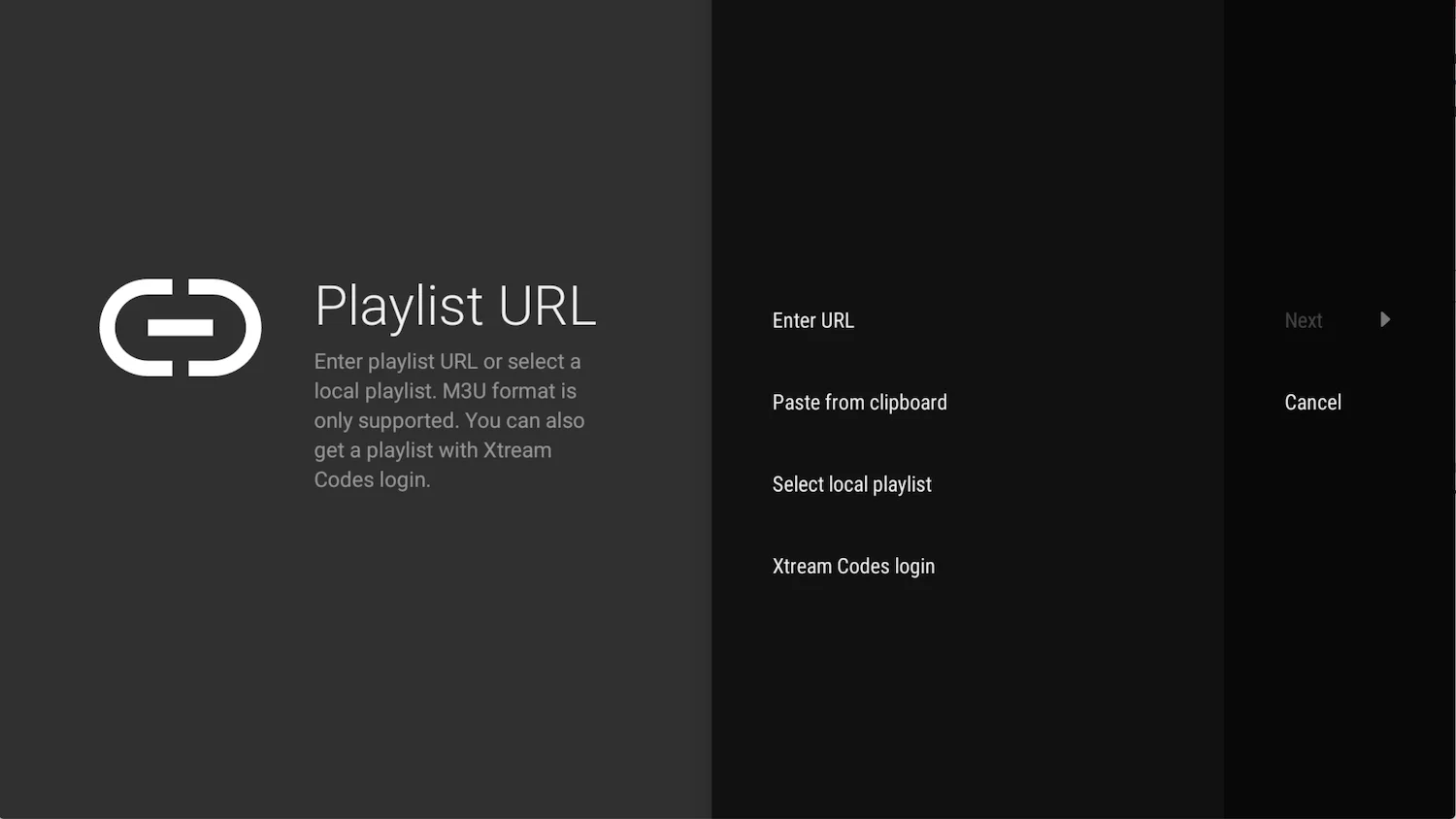
Step 2. Choose Xtream Codes login
Highlight Xtream Codes login, then press Next. Do not pick a random M3U file from the internet. LemoTV sends you a portal login.
Step 3. Enter your LemoTV details
Type the Server address (portal URL), Username, and Password exactly as they appear in your LemoTV email. Leave Include VOD checked so movies and series load with live TV. Then press Next.
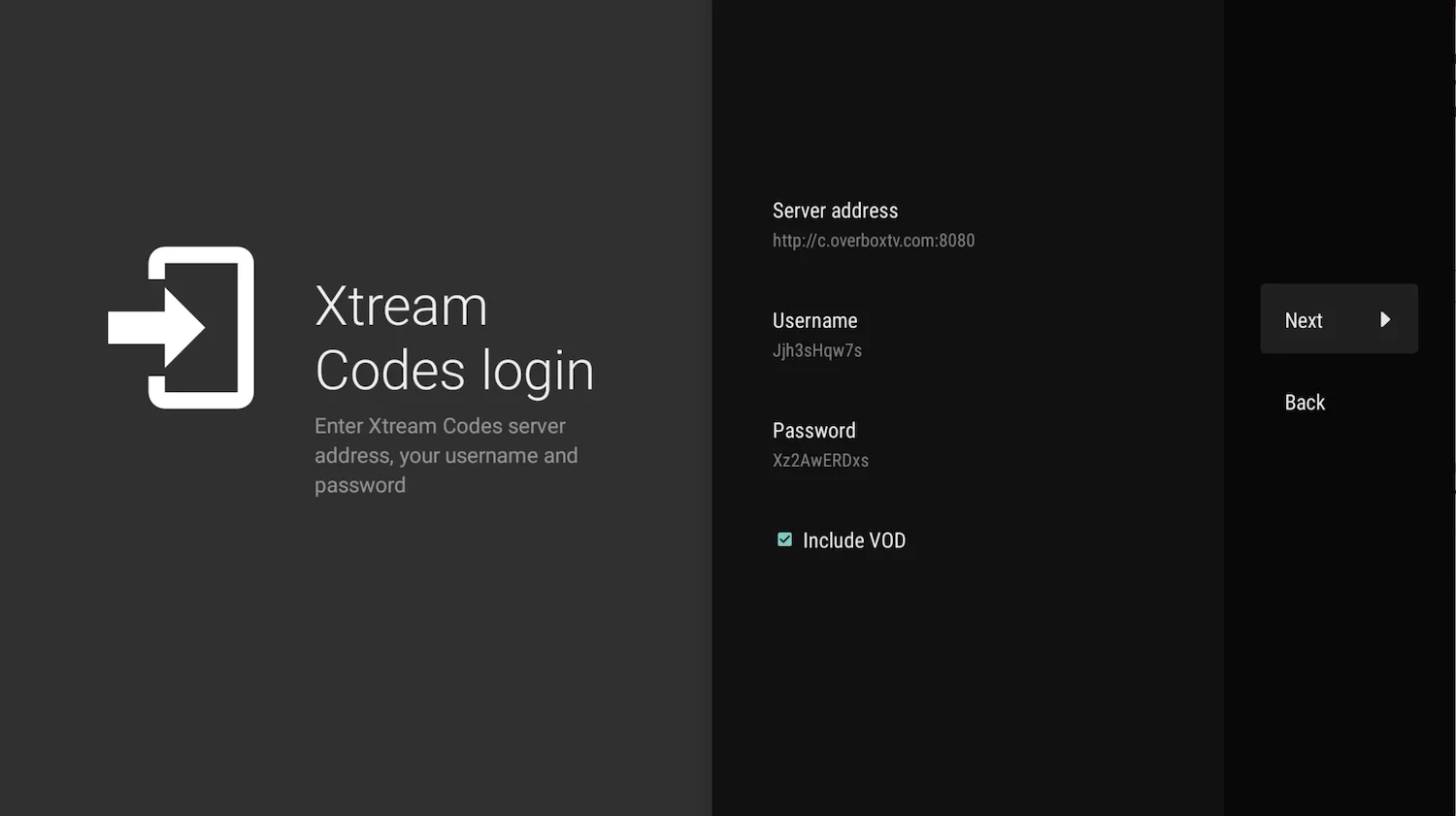
Step 4. Name the playlist and press Done
TiviMate may show “Playlist is processed”. Type a name such as LemoTV, then press Done. Live TV, the EPG, movies, and series use this same login.
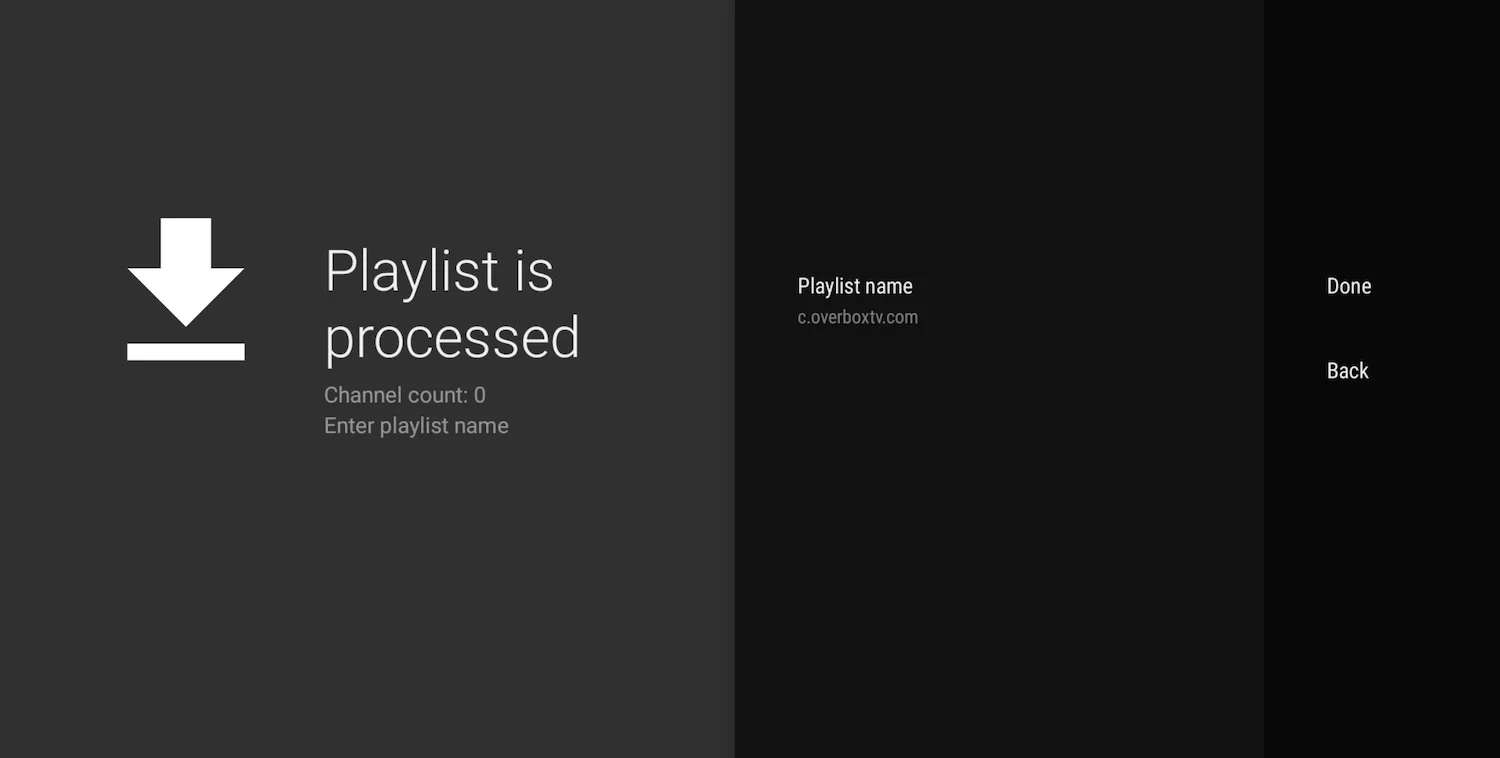
Step 5. Watch
Open Live for channels. Open VOD for movies and series. If the EPG is empty for a minute, wait or tap Update EPG. One LemoTV device is one screen playing at the same time.