


Home IPTV is a Smart TV app. You do not type Xtream Codes inside the TV app. You copy the TV ID from the screen, then upload your LemoTV M3U on the Home IPTV website.
What you need
- A LemoTV plan. See LemoTV pricing.
- The Home IPTV app. Get it from LemoTV downloads if your store does not list it.
- Your LemoTV portal URL (or M3U link), username, and password from the email after you buy.
- Stable internet. About 10 Mbps for HD, 25 Mbps for 4K.
How to add LemoTV
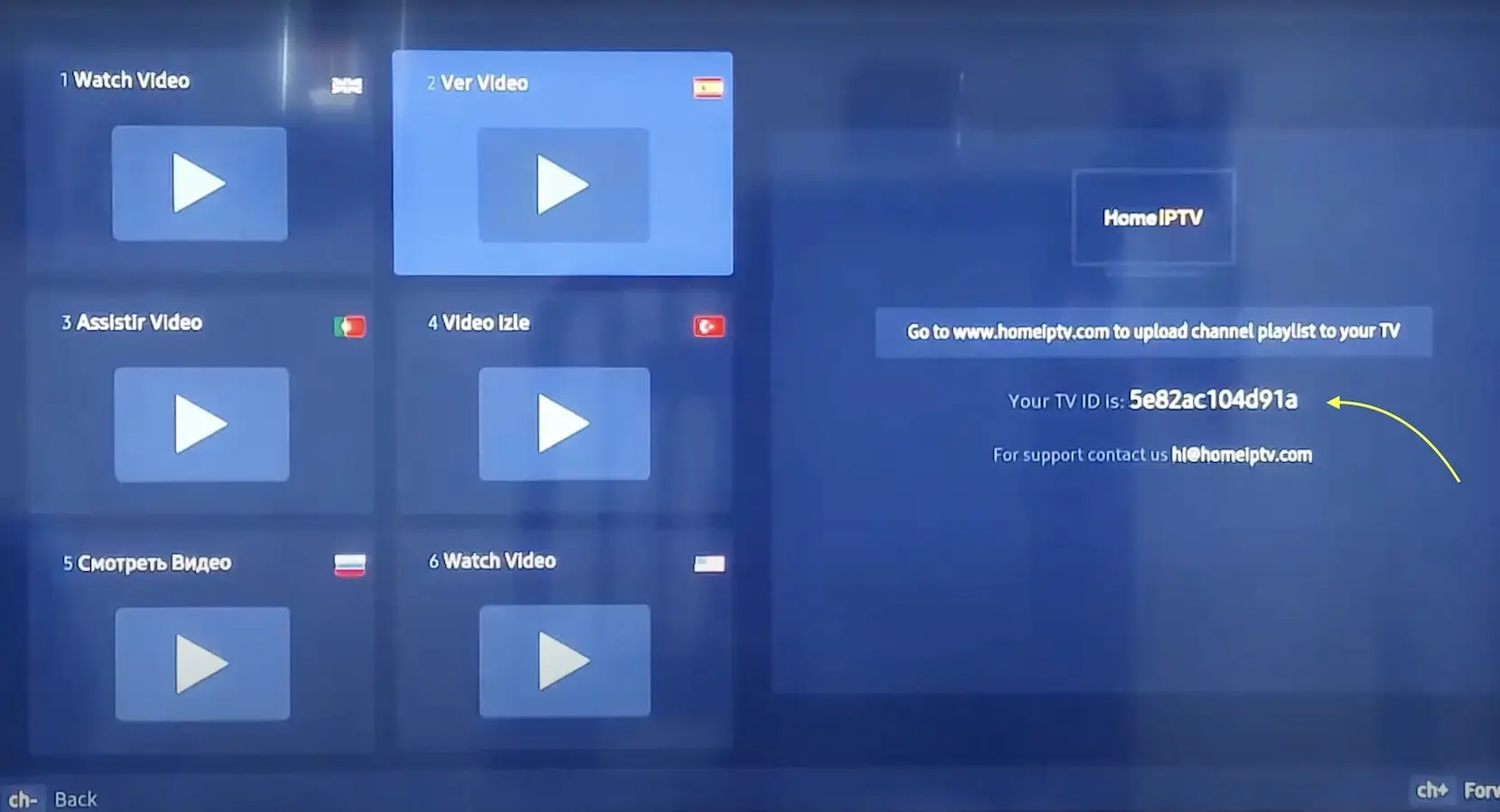
Step 1. Install Home IPTV and read the TV ID
Install Home IPTV from your TV store. Open the app. On the right you will see Your TV ID is: plus a long code. Write that code down. The yellow arrow in the photo points at it.
Step 2. Open the Home IPTV upload page
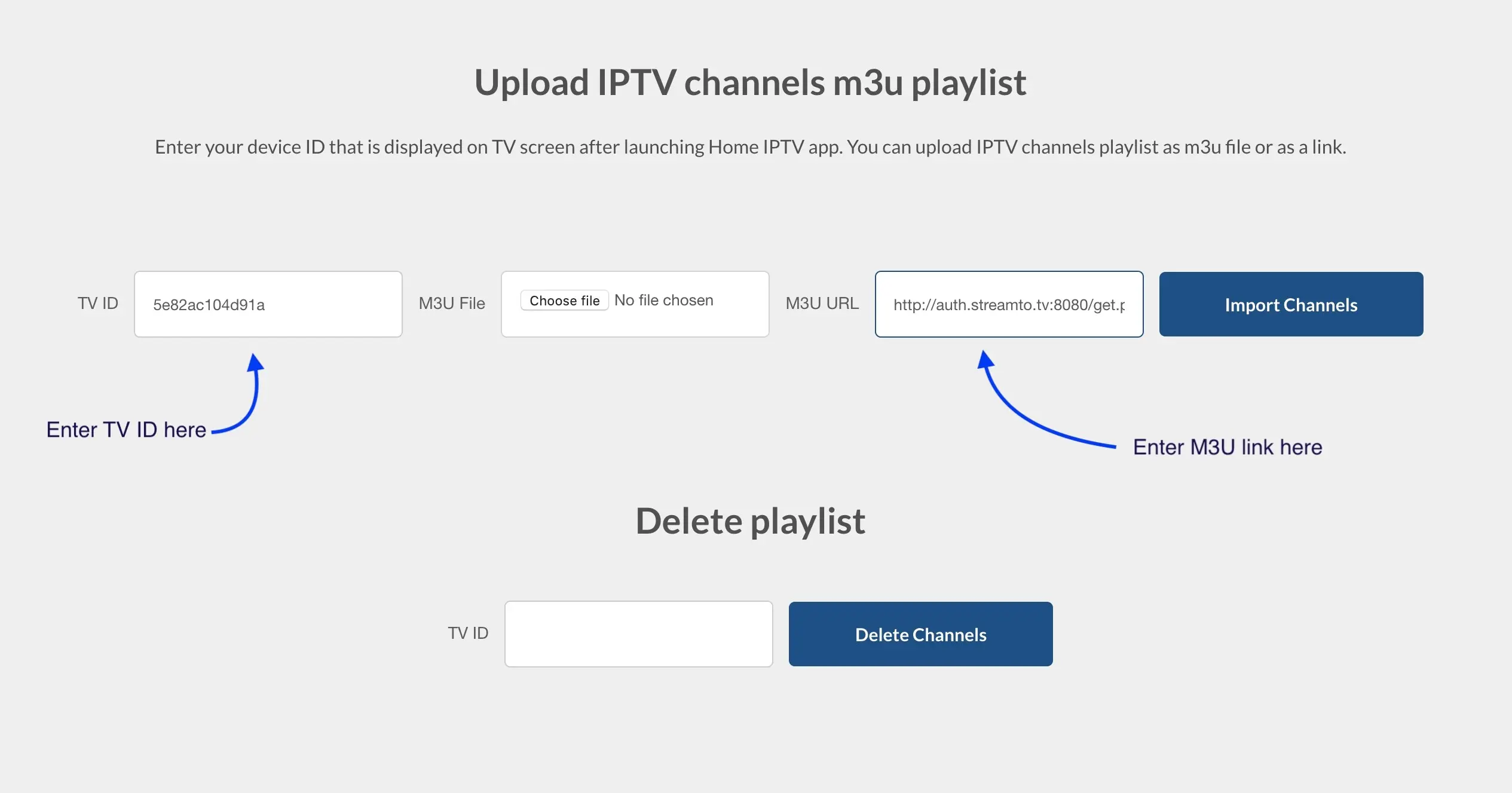
On a phone or computer go to the Home IPTV upload page (the app shows www.homeiptv.com). You will see fields for TV ID, M3U file, and M3U URL.
Step 3. Paste TV ID and LemoTV M3U
Enter the TV ID. Paste the M3U URL from your LemoTV email into M3U URL. Leave the file box empty if you have a link. Press Import Channels.
Step 4. Go back to the TV
Restart Home IPTV on the TV. Channels should appear. If the list is old, use Delete Channels on the same website with the same TV ID, then import again. Need more TVs at once? Use the 2 to 5 device tabs on pricing.
If it does not load
- Copy the portal URL, username, and password again. Delete extra spaces.
- Try Xtream Codes first. Use M3U only if that is what the email sent.
- Try another player from downloads.
- Still stuck? Contact LemoTV support from this website. More help: FAQs and setup.
Home IPTV IDs after a TV reset
Write the playlist ID in a note. Therefore a new Home IPTV install is short. Also refresh inside the app after every change. Then Samsung can pull the latest LemoTV list.
One ID is one TV. Next do not paste a friend’s ID. However, the same LemoTV account can have another device on a 2-device plan. See lemotv devices.
If the store removed the app, try Smart IPTV. Also keep downloads open on a phone. Home IPTV is only one door. Background: Wikipedia IPTV.
Picture stutters usually mean Wi-Fi. Therefore move closer to the router. Then test HD news. More: lemotv buffering beside this Home IPTV page.